summarize Quick Overview
info About This Game
sports_esports Controls
Controls
Mouse = interact with the game UI
info Information
Start playing Brainrot Merge & Fight in just a few seconds on Digamore. Brainrot Merge & Fight provides fast access to engaging play free mobile games fun.
Brainrot Merge & Fight is crafted for smooth browser compatibility. Players who enjoy Clicker, Mobile, Meme, Battle, 2D, Mouse, Merge will easily be drawn to Brainrot Merge & Fight.
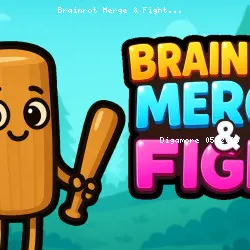
Brainrot Merge & Fight is a chaotic strategy brawler where you fuse quirky heroes into stronger versions and send them into battle. Every merge boosts your squad’s power, letting you build crazy combinations to take on tougher enemies. With each fight, your evolving team grows funnier, wilder, and more unstoppable—can you conquer every challenge?
Click play on Brainrot Merge & Fight now and experience smooth gameplay. After Brainrot Merge & Fight, try Zombo Buster Advance and Merge & Dig! to discover more similar challenges.
tune Game info
code Tech & platforms
help FAQ
star Ratings
2.3K ratings
Thank you for your rating!
Your feedback has been recorded.
Rate This Game
apps Related Games
Basket Swooshes Plus
Sports • 2 Player
Plactions
Puzzle • 1 Player
Zombie Outbreak Arena
Shooting • Zombie

Jumping Clones
Casual • Mobile

Eggy Car
Casual • Mobile
Cannon Clash
Action • Cannon
Growmi
Puzzle • Grow
Jump and Hover
Puzzle • Jumping
trending_up Trending

Craft World
Adventure • Pixel
Moto Space Racing: 2 Player
Racing Games

Satisfying Ball Clicker
Clicker • Mobile
Car OUT! Jam Parking Puzzle
Puzzle • Parking
Car Eats Car: Winter Adventure
Racing Games

Animals Minigame Party
Casual • Scratch